Still compressing the competition
WinRAR is a free tool well-known for compressing and decompressing files. Developed by RARLAB and considered by many as the ultimate rival of the popular utility tools like WinZIP or 7-Zip, it remains firm as the best option for performing compression and decompression tasks in the main formats of the market (RAR, ZIP, 7Z, ISO, TAR, etc.).
Versatile, fast, and secure, WinRAR has become one of the essential apps for any device, known for its powerful compression capabilities, extensive format support, and utility across personal and professional computing environments — an all-around go-to solution for file compression and archiving.
Archive mastery with a classic workhorse
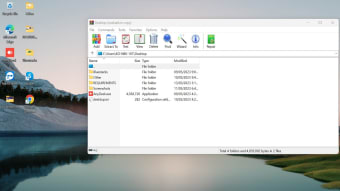
WinRAR is a powerful file compressor and decompressor. It has been around for many years, and, in fact, it was a pioneer among apps that perform all kinds of compression tasks. Some of its main attractions are undoubtedly its speed and ease of use. Despite being with us for more than two decades, this tool maintains the same intuitive interface. However, the interface has been outdated and untouched since its early days.
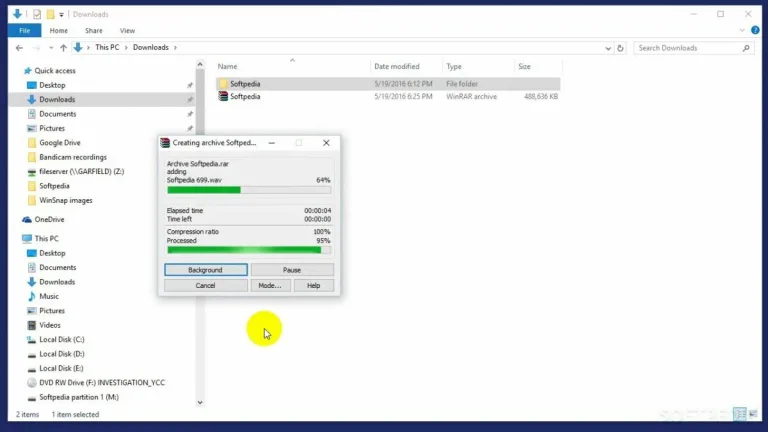
This file compression tool is focused on efficient compression and extraction. Users can create compressed archives in RAR and ZIP formats, set up advanced parameters like dictionary size and recovery records, and split archives into volumes suitable for backup or transfer. The tool also supports multithreaded processing, which makes it faster and more efficient on modern multicore machines during both compression and decompression tasks. Its checksum and integrity verification help ensure data hasn’t been corrupted.
Simplicity and good results
One of WinRAR’s biggest strengths is its broad format support and performance reliability. It can extract a long roster of compressed formats, which includes RAR, ZIP, CAB, TAR, GZ, ISO, 7z, and more. Compression in the proprietary RAR format often yields smaller file sizes and better resilience than basic ZIP, and support for split archives and recovery records adds robustness for backups and large data sets.
Recent versions like WinRAR 7.10 have focused on modernizing the tool and boosting performance. Updates include interface refinements like dark mode and vertical tab navigation, better integration with Windows context menus, improved compression and extraction speeds, and privacy enhancements that reduce sensitive metadata in archives. Ongoing beta releases continue adding performance improvements and bug fixes, indicating active development that balances features with stability and continued support for multiple devices.
Compression power that still holds up
WinRAR remains a strong and dependable compression tool that continues to earn its place among everyday computing essentials. With vast format support, reliable compression performance, and improved features in newer builds, it stays relevant even decades after release. While its interface feels outdated compared to modern tools, its speed, robustness, split archives, and ongoing updates ensure that WinRAR is still one of the most practical and efficient file management utilities today.













.png)